+86 15093323284 hams@ailunce.com




Ailunce HA2 New Firmware Update | BLE KISS TNC & Full iOS APRS Support
-
Overview
Retevis officially releases the 2026 August New Firmware V1.0.0.06.004-2 for the Retevis HA2 handheld ham radio. This update fully enables BLE KISS TNC function and achieves complete iOS & Android APRS.fi compatibility. It greatly optimizes Bluetooth stability, offline GPS positioning and APRS messaging performance. Combined with the brand-new Retevis Bluetooth Speaker Microphone, the HA2 delivers reliable offline communication, team networking and emergency communication solutions for amateur radio operators.
-
Key Firmware Update Features
2.1 Full-Platform Bluetooth Optimization & BLE KISS TNC Support
- Optimizes Android Bluetooth data transmission, effectively solving disconnection, delay and packet loss issues.
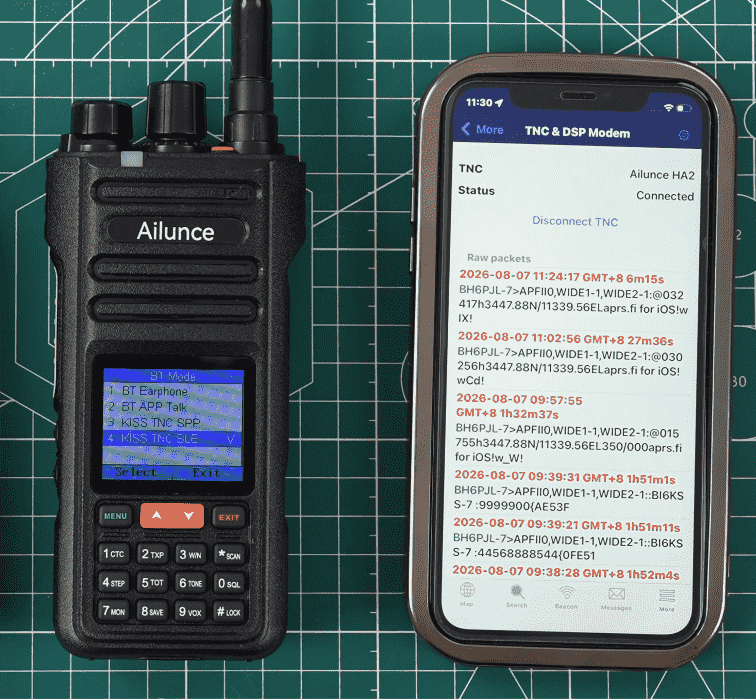
- Adds built-in BLE KISS TNC Mode, breaking iOS compatibility barriers. iPhone and iPad can directly connect HA2 via APRS.fi APP.
- Supports AX.25 packet transmission via Bluetooth without external TNC or PC relay, realizing pure offline radio networking.
2.2 Advanced Offline APRS & GPS Communication
- Offline GPS positioning reporting: Built-in GNSS module provides high-precision coordinates without cellular network, supporting Wind Link location sharing.
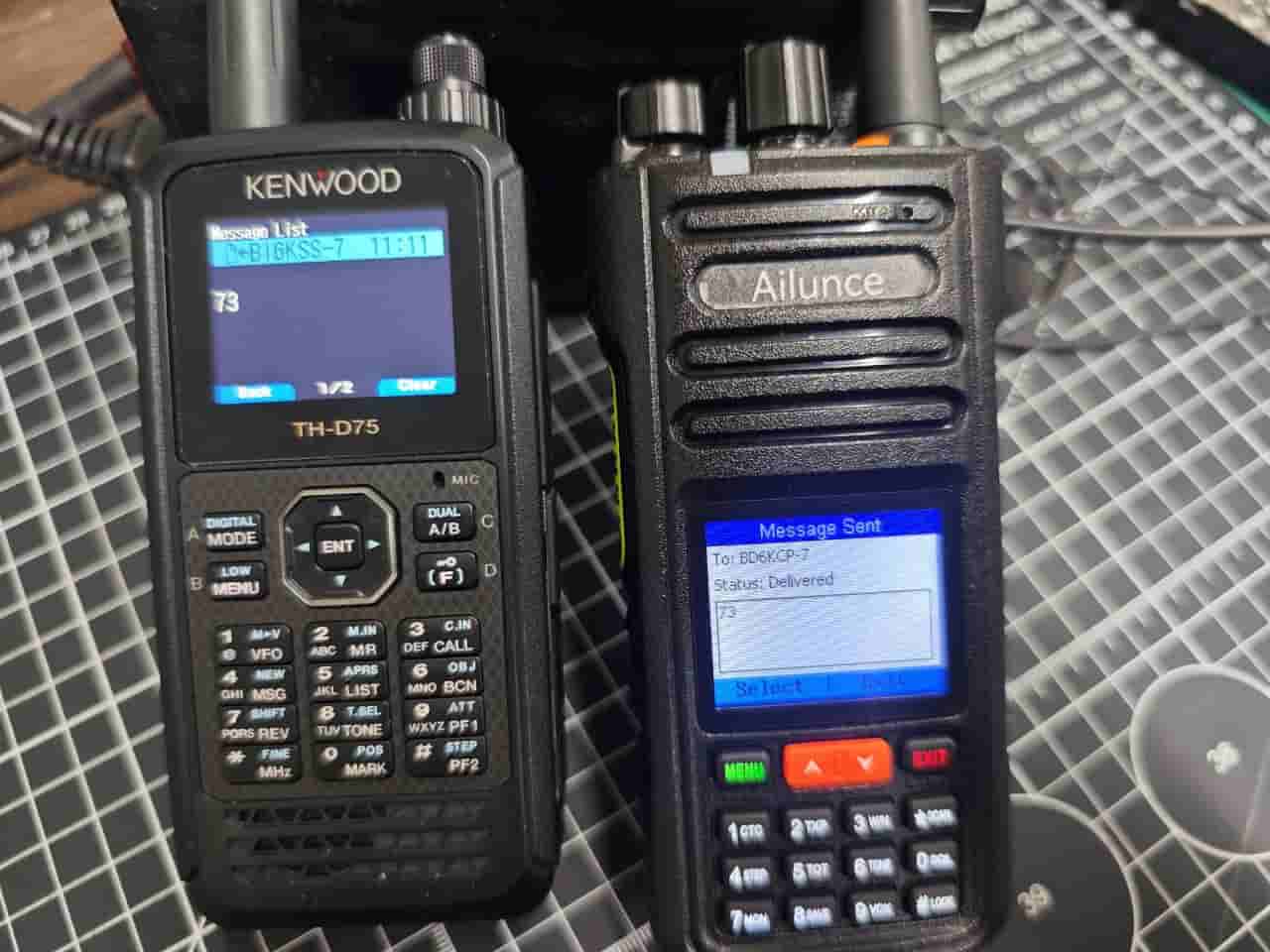
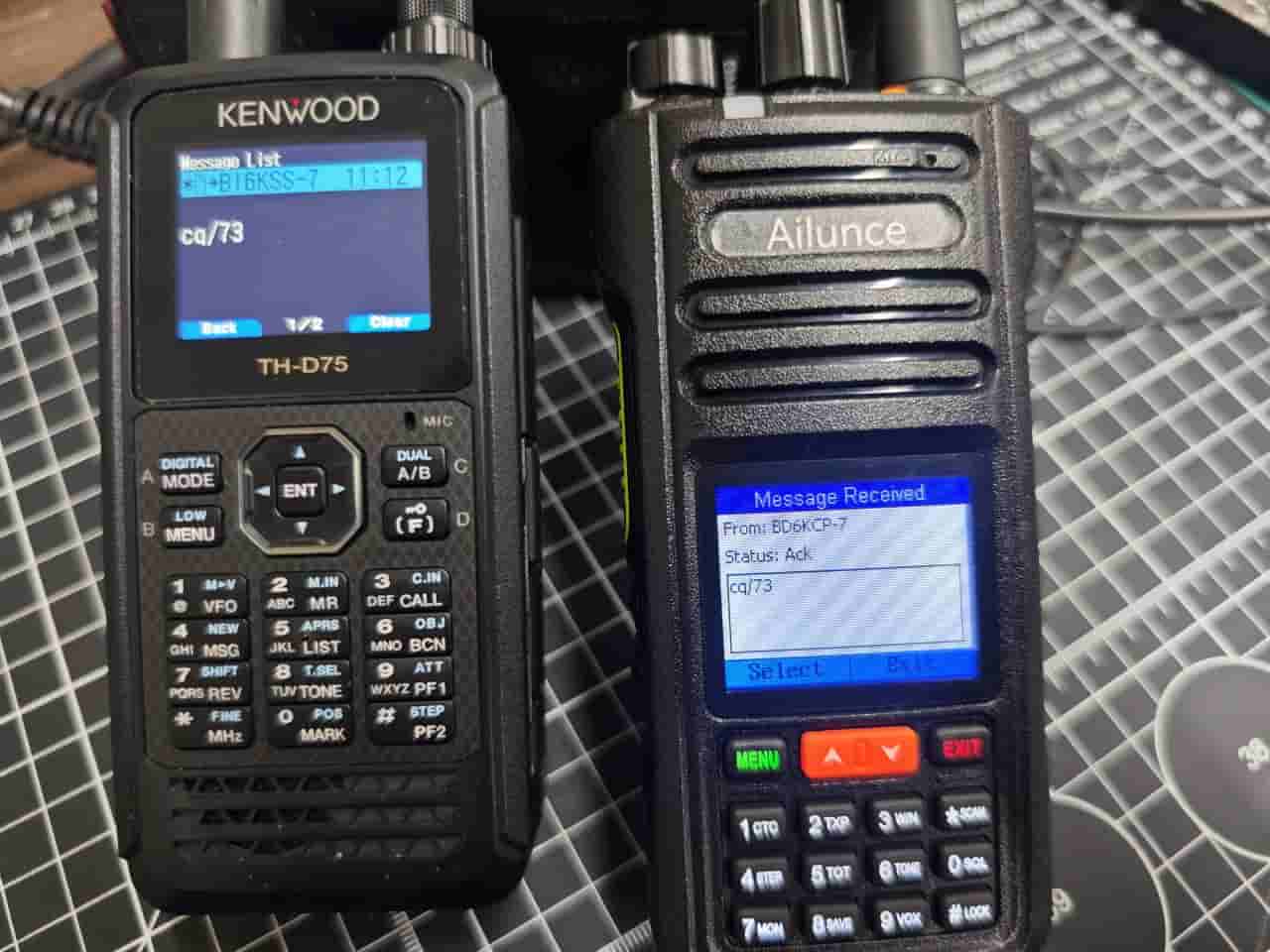
- Complete APRS messaging system: Supports peer-to-peer APRS message send/receive, custom call sign & SSID, automatic beacon reporting and APRS.fi data synchronization.
- Supports SMS gateway and email message push, meeting emergency rescue and field operation offline communication demands.
-
2.3 Bug Fixes & System Optimization
- Fixes the classic channel knob reversal errorand optimizes the overall control logic.
- Upgrades underlying Bluetooth protocol, greatly reducing iOS Bluetooth disconnection and pairing failure rates.
- Improves system stability during high-load data transmission.
2.4 Dual Upgrade Modes for All Users
- USB Wired Programming Cable upgrade: For professional hams, supporting configuration reading, backup and in-depth firmware flashing.
- Bluetooth OTA Wireless Upgrade: No PC or cable required, one-click mobile upgrade for beginners.
-
Official Retevis HA2 Upgrade Guide
3.1 Main Firmware Upgrade (USB Programming Cable )
- Download the latest HA2 firmware package from the official Ailunce website, including CPS software, BIN file and official manuals.https://www.ailunce.com/Supports/HA2/Software
- Connect HA2 to PC via USB programming cable, recognize the COM port, read device data and back up JSON configuration.
- Power off the radio, press and hold PTT + PF1 keywhile powering on to enter DFU upgrade mode.
- Select the BIN firmware file in CPS and start flashing. The device will reboot automatically after completion.
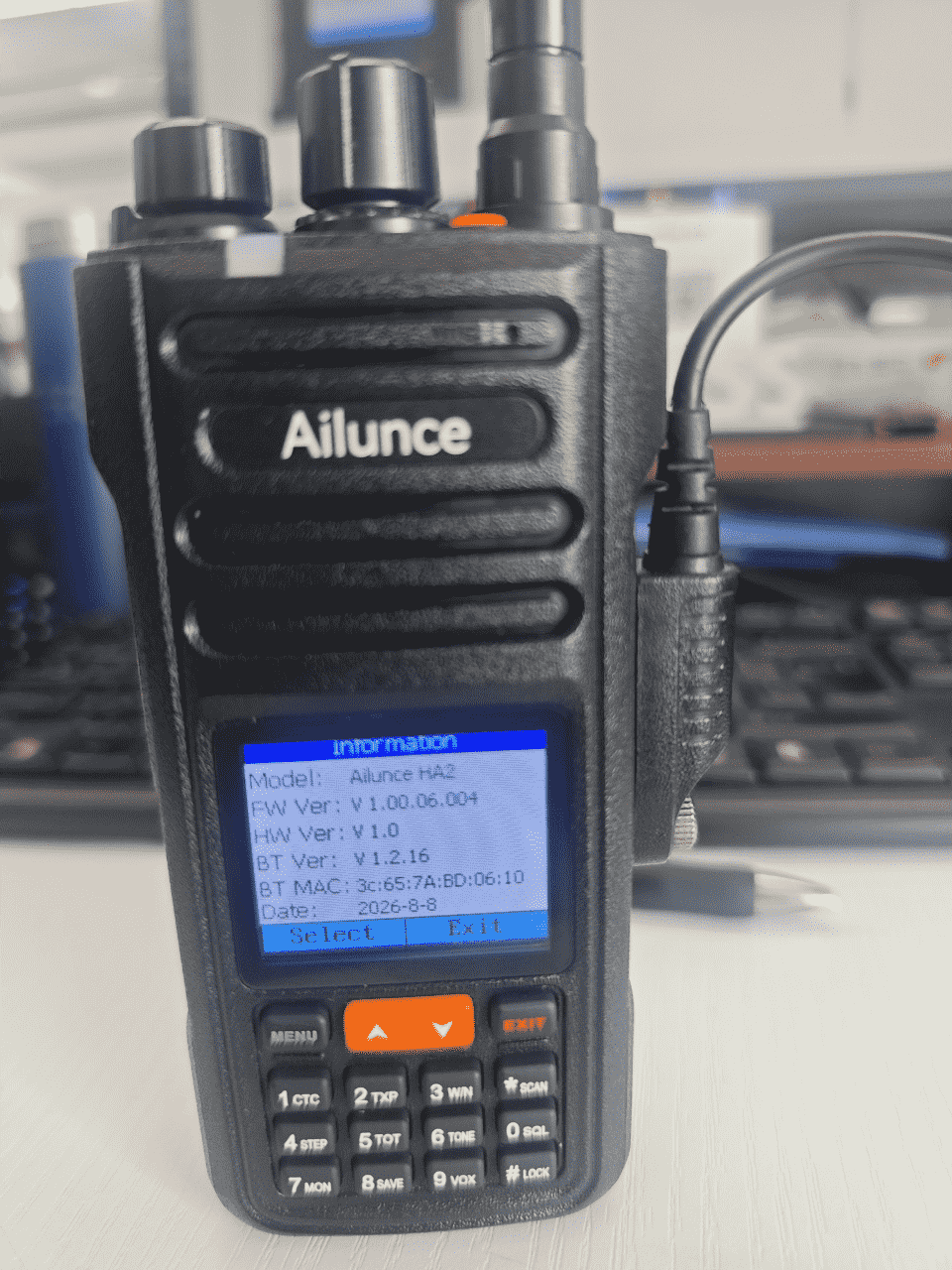
- Check Menu Item 17 (Radio Info) to confirm the firmware version 0.0.06.004.
3.2 Bluetooth Firmware Upgrade (Mobile OTA)
- iOS users download the OTA app via TestFlight; Android users download from official Retevis channels.
- Enable Bluetooth on both phone and radio, keep them within 1 meter and avoid signal interference.
- Bind HA2 device in the OTA app and start one-click Bluetooth upgrade. Ensure sufficient power during the process.
- Confirm Bluetooth version 2.16after automatic reboot.
-
4. New Official Accessory: Retevis Bluetooth Speaker Microphone
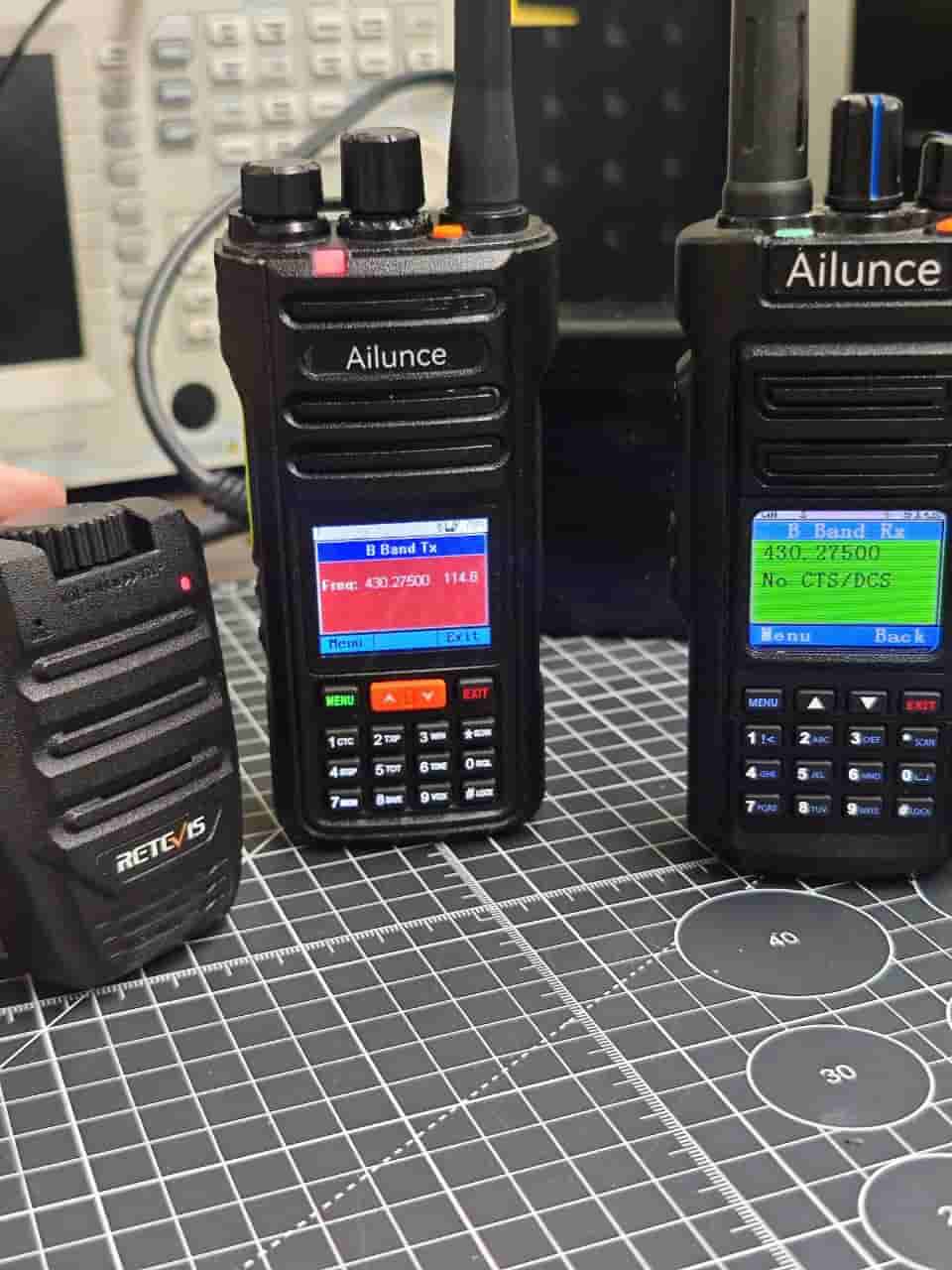
Matched with the new firmware, Retevis launches the exclusive Bluetooth speaker microphone for HA2, realizing full wireless communication.
-
- Full package: Microphone unit, USB-C charging cable, clip-on bracket, user manual and earphone port.
- Key features: Physical PTT key, high-definition microphone, speaker & earphone dual modes for private and public communication.
- Fast pairing: Long press MicrophonPTT for 10s to clear Bluetooth memory and enter pairing mode for fast connection.
- Wide application: Lightweight clip-on design, perfect for outdoor hiking, emergency duty and mobile operations with clear and stable audio.
-
APRS & KISS TNC Configuration Tutorial
- Basic settings: Turn on GNSS and APRS function, set call sign and SSID; tune to local APRS frequency, disable CTCSS tone and lower squelch for weak signal reception.
- APRS messaging: Add APRS contacts on the radio, edit and send offline peer-to-peer messages with real-time APRS.fi synchronization.
- KISS TNC mode: Switch Bluetooth mode to【Kiss TNC BLE】or 【KISS TNC SPP】. Connect APRS.fi or APRSDroid via Bluetooth to complete offline beacon reporting, location sharing and AX.25 data transmission without Internet.
-
Conclusion
The 2026 latest firmware for Retevis HA2 completes full iOS ecosystem adaptation and strengthens core capabilities of BLE KISS TNC and offline APRS networking. Paired with the original Bluetooth microphone, Retevis HA2 becomes an all-in-one EDC ham radio with GPS positioning, offline data communication and wireless portable operation, ideal for ham daily QSO, outdoor adventure, emergency rescue and team networking.